The right answer surfaced
before your team goes searching for it
Load your own products, policies, processes, and FAQs into the Simplexi Knowledge Base. The AI Agent answers every client query from your exact content — your language, your tone, your rules. Update it once and every AI response across every channel improves immediately.
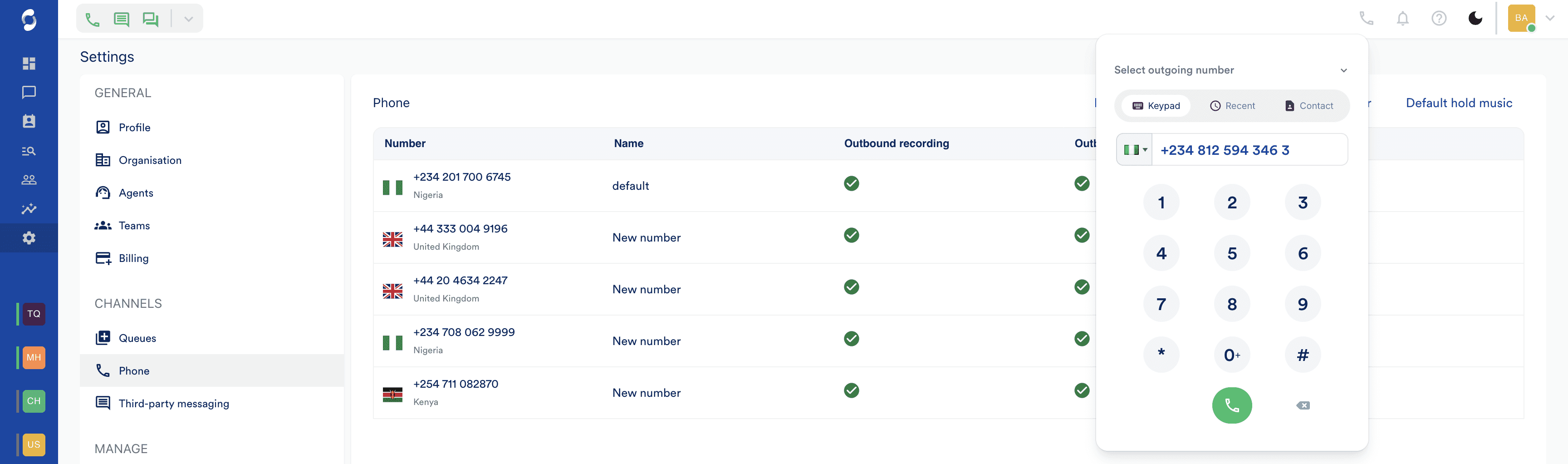
Everything you need to run phone.
Browser-Based Calling
Your team takes and makes calls from any browser, anywhere.
IVR
Route callers to the right team before they reach an agent.
Voicemail & Scheduled Callbacks
Missed calls captured and followed up — no client left waiting.
Call Recording
Every call recorded and attached to the conversation automatically.
AI Voice Transcription
Every call transcribed automatically — searchable, exportable, ready for QA.
Blind & Assisted Transfer
Transfer silently or brief the next agent before connecting.
Local Numbers & Number Porting
Bring your existing numbers or add new ones instantly.
Custom Hold Music
Your brand experience — even while clients wait.
How it works
From first touch to resolution — in clear steps.
Step 1 of 3
Calls happen in the browser. No hardware, no setup.
Your team takes and makes calls from the same screen they use for WhatsApp and SMS. No desk phones. No plugins. No IT setup. Open the browser and the calls are already there — wherever your team is working from.
Step 2 of 3
Clients reach the right team. Their context arrives with them.
IVR routes callers based on what they need — before a human picks up. By the time your agent answers, the full client profile is already on screen. Every past call, every message, every note. No re-explaining.
Trigger
Incoming call
AI Agent
Pick an AI agent...
Announcement
Play a message
Queue
Pick a queue...
Step 3 of 3
Missed calls followed up. Every time.
Clients do not want to wait on hold. Scheduled callbacks let them choose a time instead. If they do miss you, voicemail captures the message and drops it into the same queue as everything else — ready for your team in the morning.
Close conversation & set follow-up?
This conversation is currently open. To set a follow-up reminder, it needs to be closed first. We'll close it now and then schedule your follow-up at the selected time.
Stop answering questions your system already knows.
Book a demo to see Simplexi in action.